How to Join a Server with an IP Address
Neko Launcher can add a server from nothing more than its address. Type play.example.com into the search box and the launcher works out what it is.
What happens when you search
Loading diagram…
- Neko API first — if the text matches an instance name or an invite code, the launcher shows that instance and whether your account may install it.
- DNS TXT record — otherwise it looks up _nekolauncher.<domain> (and the legacy _alicemagiclauncher.<domain>). A record there points at the instance's settings and manifest. See DNS discovery.
- Plain ping — with neither, the launcher pings the Minecraft server and shows its MOTD and player count, but there is no modpack to install.
Addresses that look like an IP (203.0.113.7:25565) skip the API step.
Steps
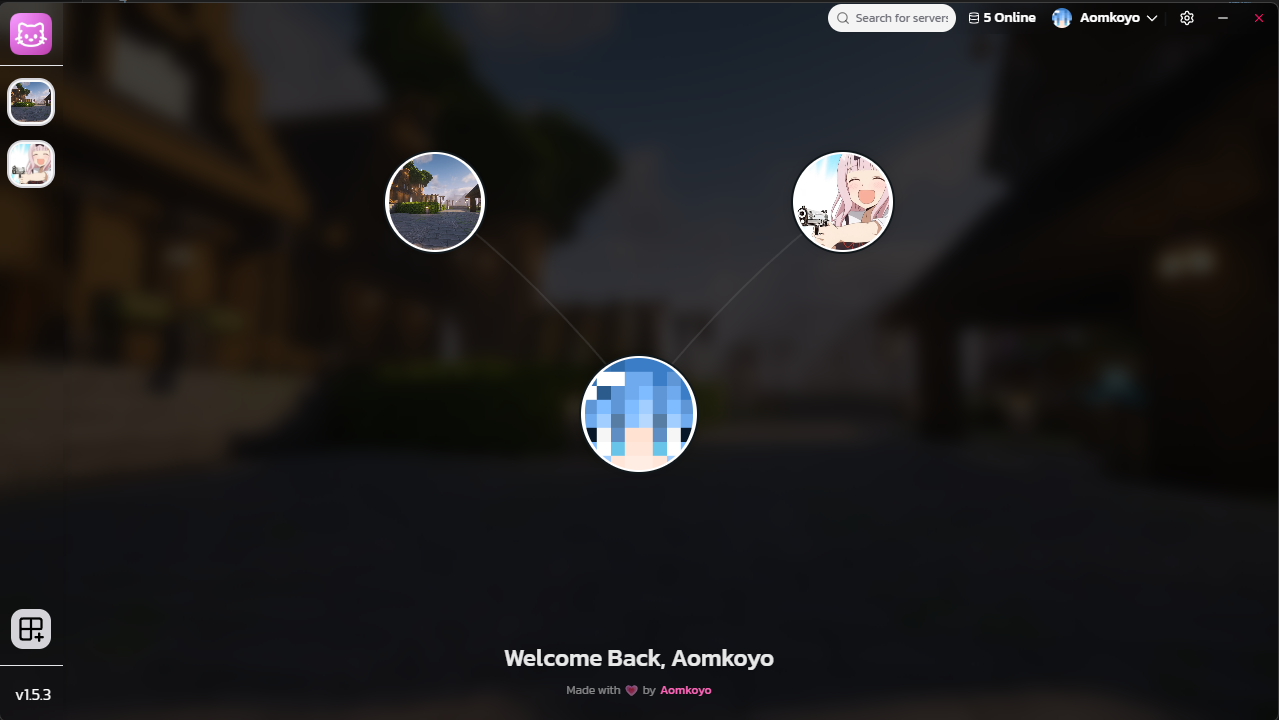
Step 1 — Open Neko Launcher
 View Image
Step 2 — Sign in
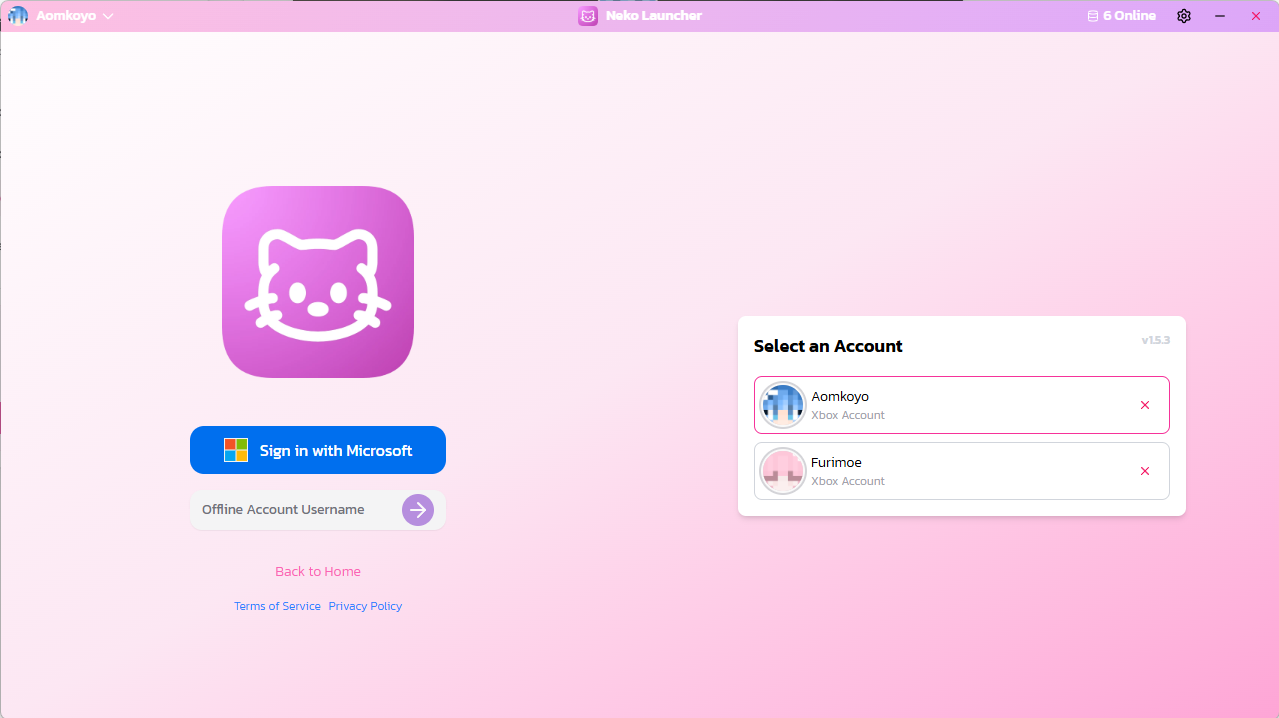
Use a Microsoft account that owns Minecraft. Some servers require it (online mode); an offline account will see the server but cannot play it.
 View Image
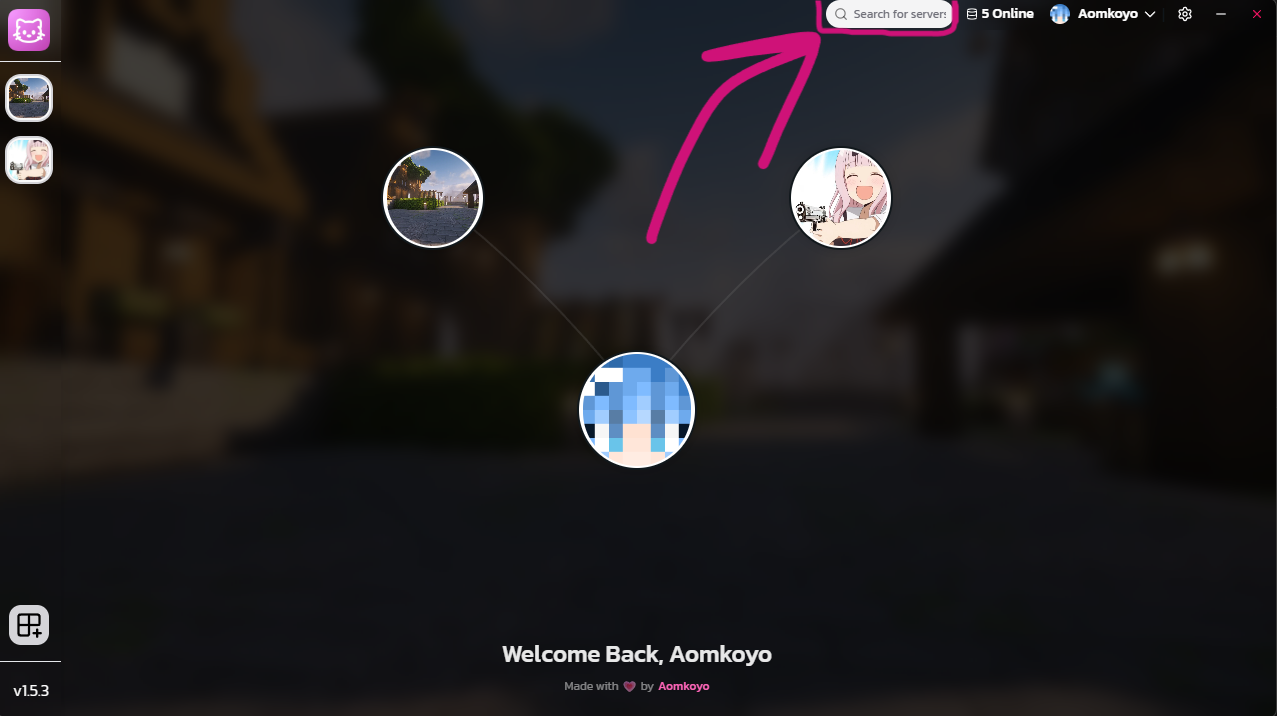
Step 3 — Open the search box
Click Search server at the top of the window.
 View Image
Step 4 — Enter the address
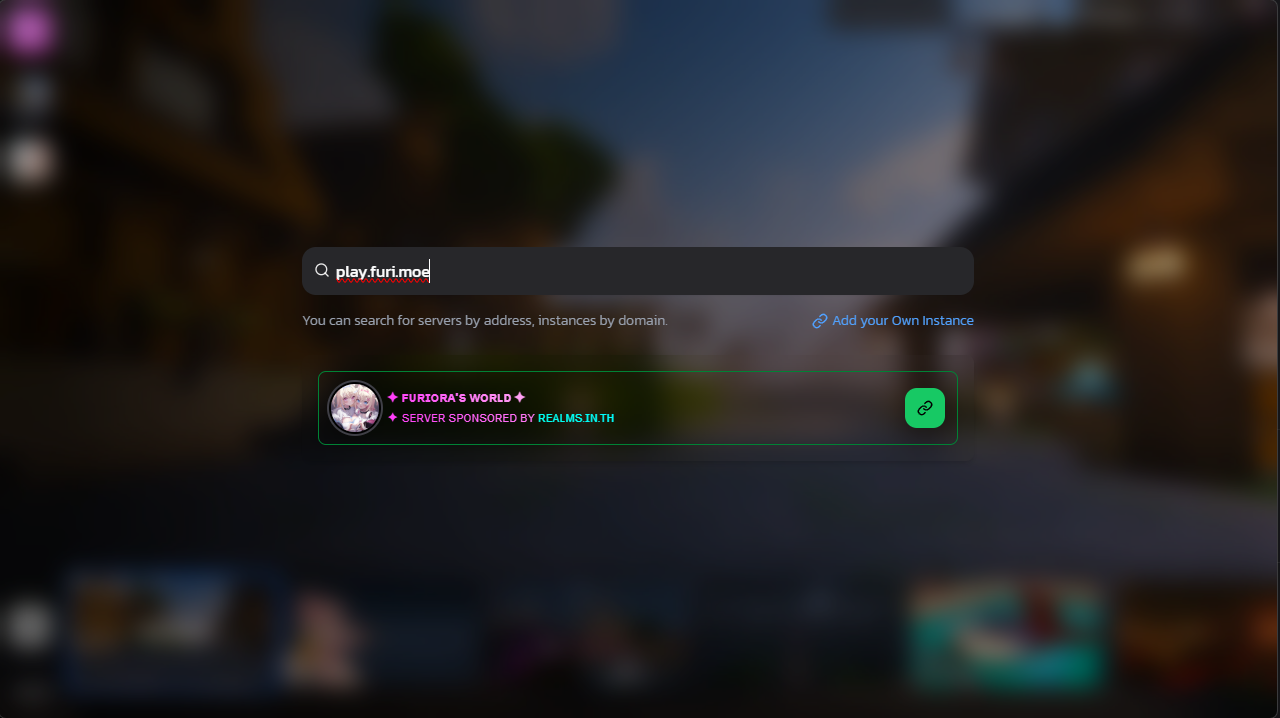
Type the domain or IP the owner gave you and wait for the card to appear. A green border means the instance was found and you may install it; yellow means found but locked for your account; red means blocked or online-mode only.
 View Image
Step 5 — Play
Click the card or the play button. The instance is added to your sidebar and the download starts.
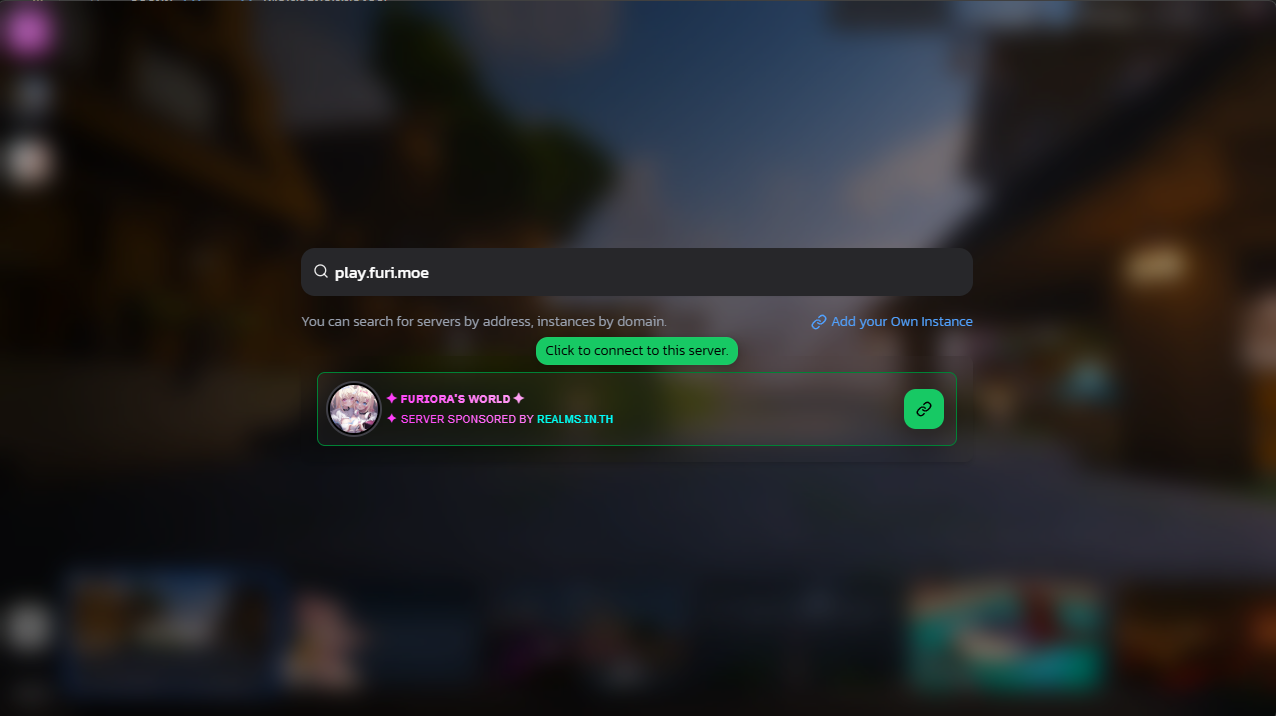 View Image
Example
play.furi.moe has a TXT record at _nekolauncher.play.furi.moe:
v=2;ip=play.furi.moe;settings=https://example.com/instance.json;manifest=https://example.com/manifest.json
Typing play.furi.moe installs the modpack described by those two files and connects to play.furi.moe.
Troubleshooting
| Problem | Cause and fix |
|---|---|
| Card says Instance not found, only a server ping | No TXT record for that domain. Ask the owner for the exact address, an invite link, or the instance name. |
| Card is yellow | The instance exists but your account is not on its whitelist. Apply if the owner takes applications. |
| Card is red | Blocked by the platform, or the server needs a Microsoft account and you are on an offline one. |
| Download fails after the card | The settings or manifest URL in the TXT record is unreachable. The owner should test both with curl. |
| Wrong modpack for a domain you own | DNS caches for 60 seconds inside the launcher and for the record's TTL at the resolver. Wait, then search again. |